Self-hosted vs managed databases: what you give up and keep
A balanced look at self-hosting MariaDB, MySQL or PostgreSQL versus a managed service like RDS or Cloud SQL: cost, control, residency and operations.
A managed database service such as Amazon RDS or Google Cloud SQL takes over backups, patching and, if you pay for it, high availability with automatic failover. In exchange you give up control of the host, accept the provider's limits, and pay a price that grows with every instance. Self-hosting keeps the control and usually lowers the cost, but every operational job becomes yours. Fleetdock makes several of those jobs easier, but not failover, and this post is honest about where that line is.
We build a self-hosted tool, so keep that in mind. We've tried to be fair to both sides, because the right answer depends on your situation.
What a managed service gives you
The case for managed databases is strong, and it's worth stating fully before arguing with it.
- High availability and failover. Managed services offer a standby replica in another zone that takes over automatically when the primary fails. Building this yourself means setting up replication, a failover mechanism, health checks and a way for applications to find the new primary, then testing all of it regularly. This is the hardest thing to replicate on your own.
- Backups with point-in-time recovery. Automated backups are usually on by default, and you can typically restore to a specific moment within a retention window rather than to the last nightly dump.
- Patching and minor upgrades. Security patches and minor engine versions are applied for you, inside a maintenance window you choose.
- Monitoring out of the box. Metrics, logs and alerts are part of the console.
- No hardware. Disks fail, servers need replacing, and capacity has to be planned. With a managed service, that's someone else's problem.
For a small team with a handful of databases and nobody who wants to be on call for them, this is often the right trade, and we'd recommend it.
What you give up
Control
You don't get a shell on the host. Superuser access is restricted, so some extensions,
plugins and settings are unavailable or limited to the provider's approved list. Configuration goes
through the provider's own mechanism rather than my.cnf or postgresql.conf. New major versions
arrive on the provider's schedule, and old ones are retired on it too.
Most of the time, none of this matters. When it does, it's hard to work around.
Cost, and how it scales
Managed pricing usually combines instance size, storage, I/O, backup storage and data transfer. At small scale that's reasonable for what you get. The model works less well for some shapes of workload:
- Many small databases. A SaaS product with one database per tenant either packs tenants onto shared instances, which reintroduces the operational work of managing them, or pays for many instances.
- Steady, predictable load. If your servers run at a constant level, you pay a premium for elasticity you don't use.
- Moving data out. Egress charges and provider-specific tooling make leaving more expensive than arriving.
We won't quote prices here, because they vary by provider, region and instance type, and change often. The calculator on your provider's site is the right place to compare.
Data residency
Managed providers offer many regions and hold compliance certifications that would take you a long time to earn yourself. For many organizations, that's enough.
For others, it isn't. Some contracts and regulations require data to stay on hardware you control, with a specific hosting company, in a specific country, or on premises. Others simply want fewer parties with access to customer data. In those cases self-hosting isn't a preference, it's a requirement.
What you keep with self-hosting
- Full control of versions, extensions, configuration and the operating system.
- Your choice of location: any provider, any country, your own racks, or a mix.
- Cost that follows your hardware, not your database count. Many databases can share a server.
- Portability. Moving a database between servers or providers is a dump and a restore, with no proprietary format in between.
What self-hosting costs you
Every job in the first section is now yours. Here is where Fleetdock helps with each one, and where it doesn't.
| Job | Managed service | Self-hosted with Fleetdock |
|---|---|---|
| Backups | Automated | Scheduled logical dumps to your own S3-compatible bucket, with retention and test restores |
| Point-in-time recovery | Typically included | Not available yet; restores go back to a backup |
| Monitoring and alerts | Built in | Server metrics, instance health, top queries, alerts by email, Slack or webhook |
| Moving a database | Within the provider | Backup, restore and verify to any server, as one job |
| Engine upgrades and patching | Handled for you | Yours |
| High availability and failover | Available | Yours. Fleetdock doesn't do it |
Backups
Backups are where self-hosted setups most often quietly break. A cron job on each server, with nothing that tells you when one stops running.
Fleetdock runs each engine's own dump tool on a schedule, streams the compressed output to your bucket, records a checksum and prunes old backups according to retention. A failed backup sends a notification to the channels you configure, and the overview flags scheduled databases with no backup in seven days. You can test-restore a backup into a scratch database to check it actually works. See Backups and the backups to S3 guide.
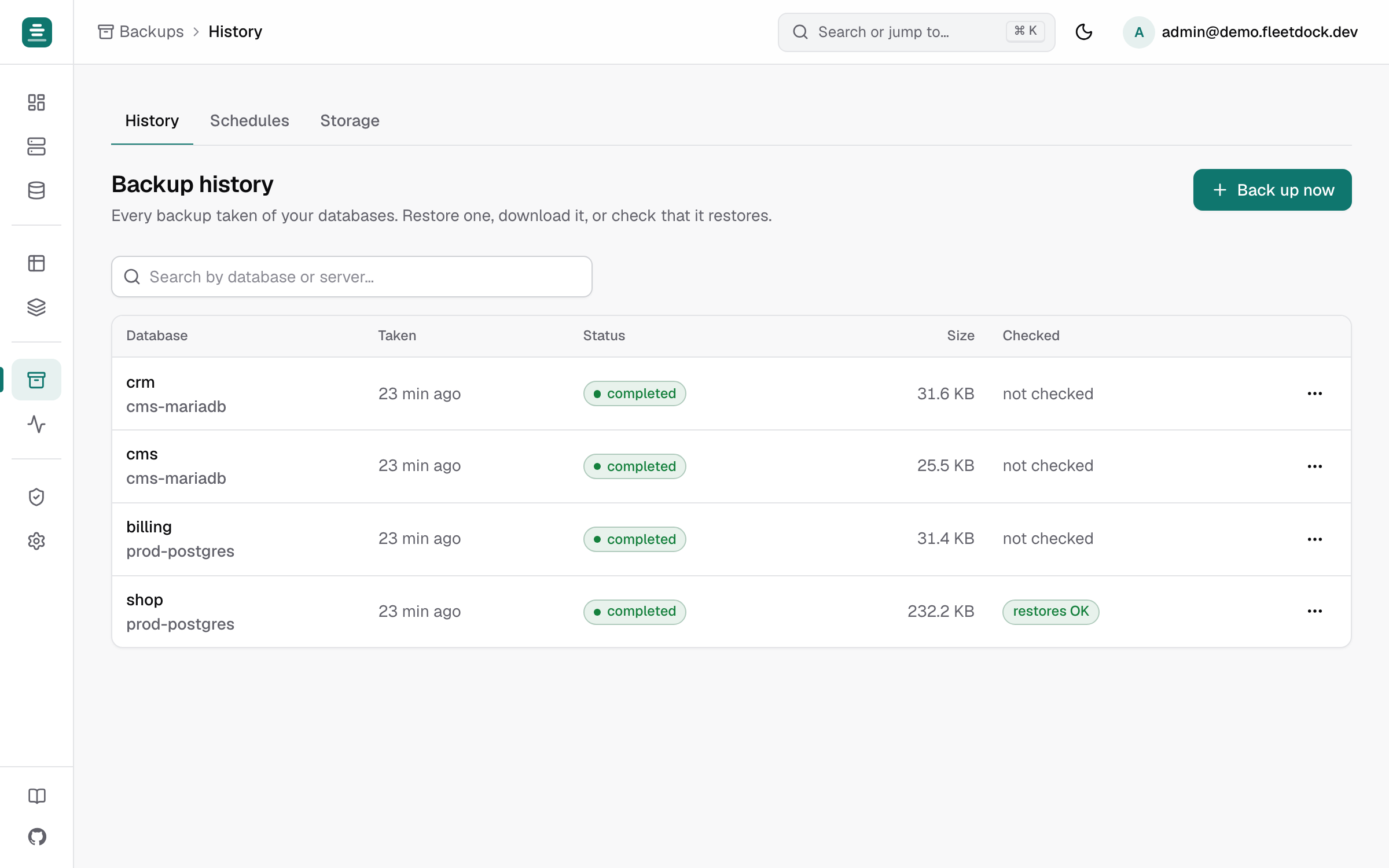
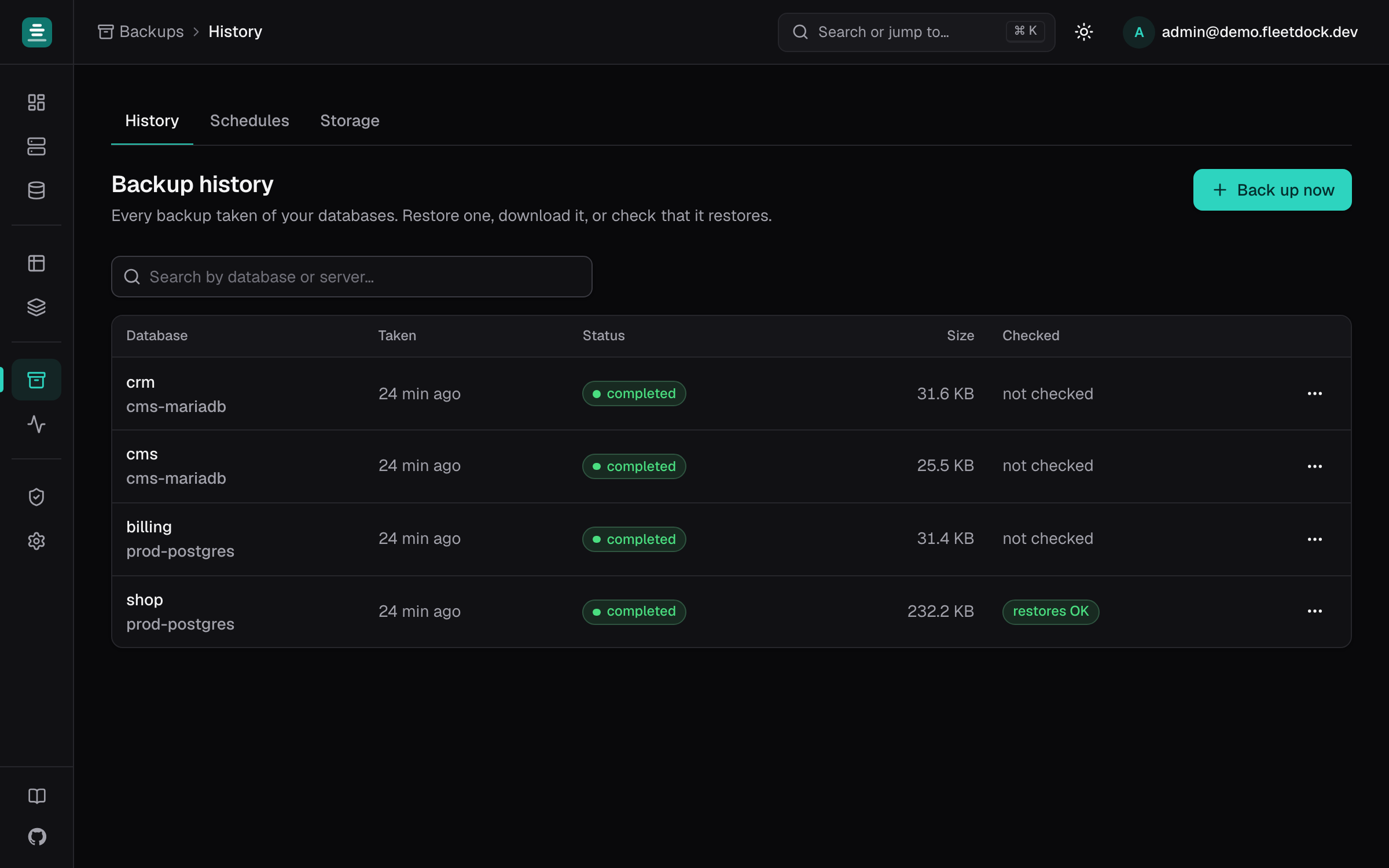
These are logical backups taken at a point in time. If the latest backup ran at 02:00 and a problem happens at 16:00, the changes in between are not in it. Point-in-time recovery through binlog and WAL archiving is on the roadmap, but it isn't there today.
Monitoring
The Fleetdock agent reports CPU, memory, disk and connections from each server every 30 seconds, and a health probe checks every database server every minute. You can set alert rules on server metrics and see live sessions and the most expensive statements per instance. This doesn't replace a full observability stack, but it covers the questions you'd otherwise answer over SSH.
Upgrades and patching
Fleetdock doesn't upgrade engine versions or patch operating systems. Engine version upgrades and config tuning are on the roadmap; for now, they're your job, with your usual tools.
Failover
Fleetdock does not provide high availability, replication or automatic failover. If a server goes down, the databases on it are down until you bring it back or restore elsewhere. If you need failover, run your own replication setup alongside Fleetdock, or use a managed service for the databases that need it.
Many workloads can tolerate restoring from a backup after a hardware failure. If yours can't, and you don't want to run replication yourself, choose a managed service for those databases.
It doesn't have to be one or the other
Fleetdock isn't only for self-hosted databases. It connects to any MariaDB, MySQL or PostgreSQL database it can reach over the network, including hosted ones such as Amazon RDS or Neon, with an address and a login and no agent.
That makes a mixed setup practical. Keep the databases that need failover on a managed service, run the rest on your own servers, and use one dashboard for both: browse data, run fleet queries, track schema changes, and keep backups of the hosted databases in your own bucket, as a copy outside the provider.
Fleetdock is also software you run. It needs a server, and its own metadata database needs backing
up (fleetdock backup-db), along with the encryption key that protects stored credentials. That's
one more thing to look after, though a much smaller thing than a fleet of databases.
How to decide
Lean towards a managed service if:
- you have a few databases and a small team;
- you need automatic failover and don't want to build it yourself;
- nobody on the team wants to own database operations.
Lean towards self-hosting if:
- you run many databases, especially one per tenant;
- your load is steady and your servers are already paid for;
- contracts or regulations require you to control where data lives;
- you need versions, extensions or settings a provider doesn't allow.
If you're self-hosting already, or about to, see managing multiple MySQL servers and moving a database to another server. For how Fleetdock compares with other tools, see the comparisons.