v0.9.3Free and open source

One dashboard for all your databases.

Browse and edit data, run SQL across hundreds of databases, schedule verified backups and watch every server, for MariaDB, MySQL and PostgreSQL. Self-hosted, so your credentials never leave your servers.

$ curl -sSL https://fleetdock.dev/install.sh | sudo sh
  • MariaDB
  • MySQL
  • PostgreSQL
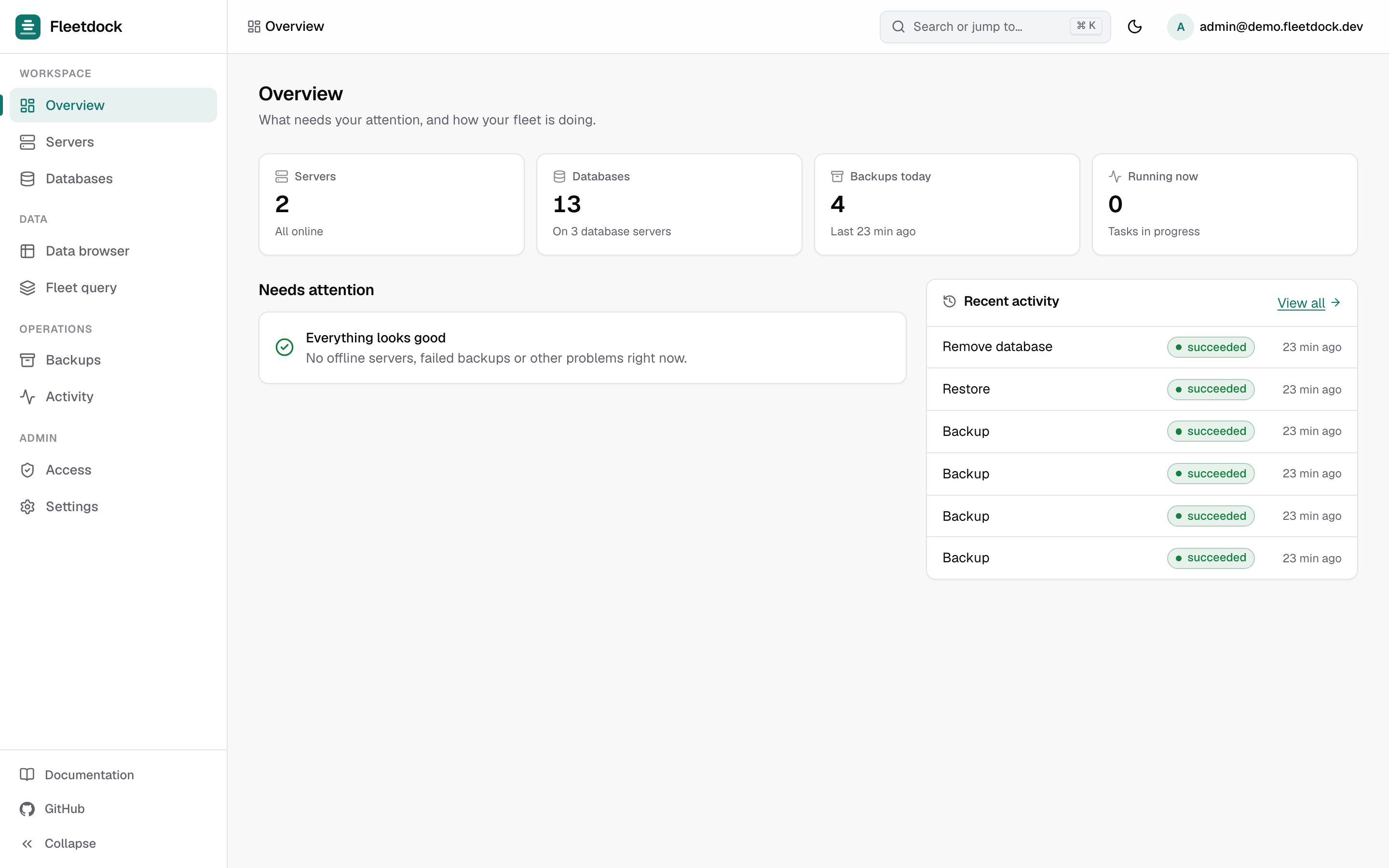
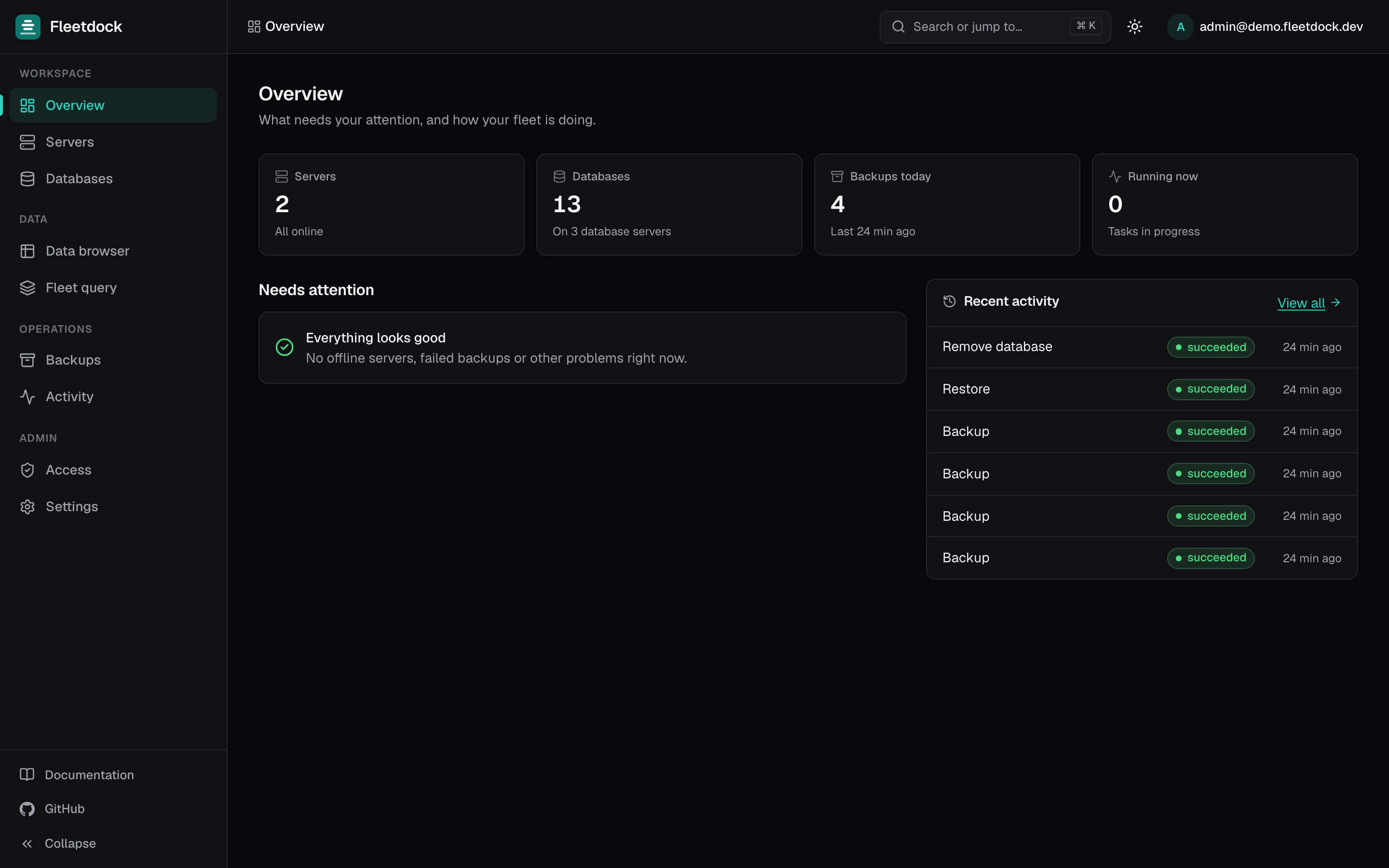
Fleetdock overview: stat tiles, items needing attention and recent activity
What you get

Everything you'd SSH in for, in the browser.

Real screenshots from a Fleetdock install. No mock-ups.

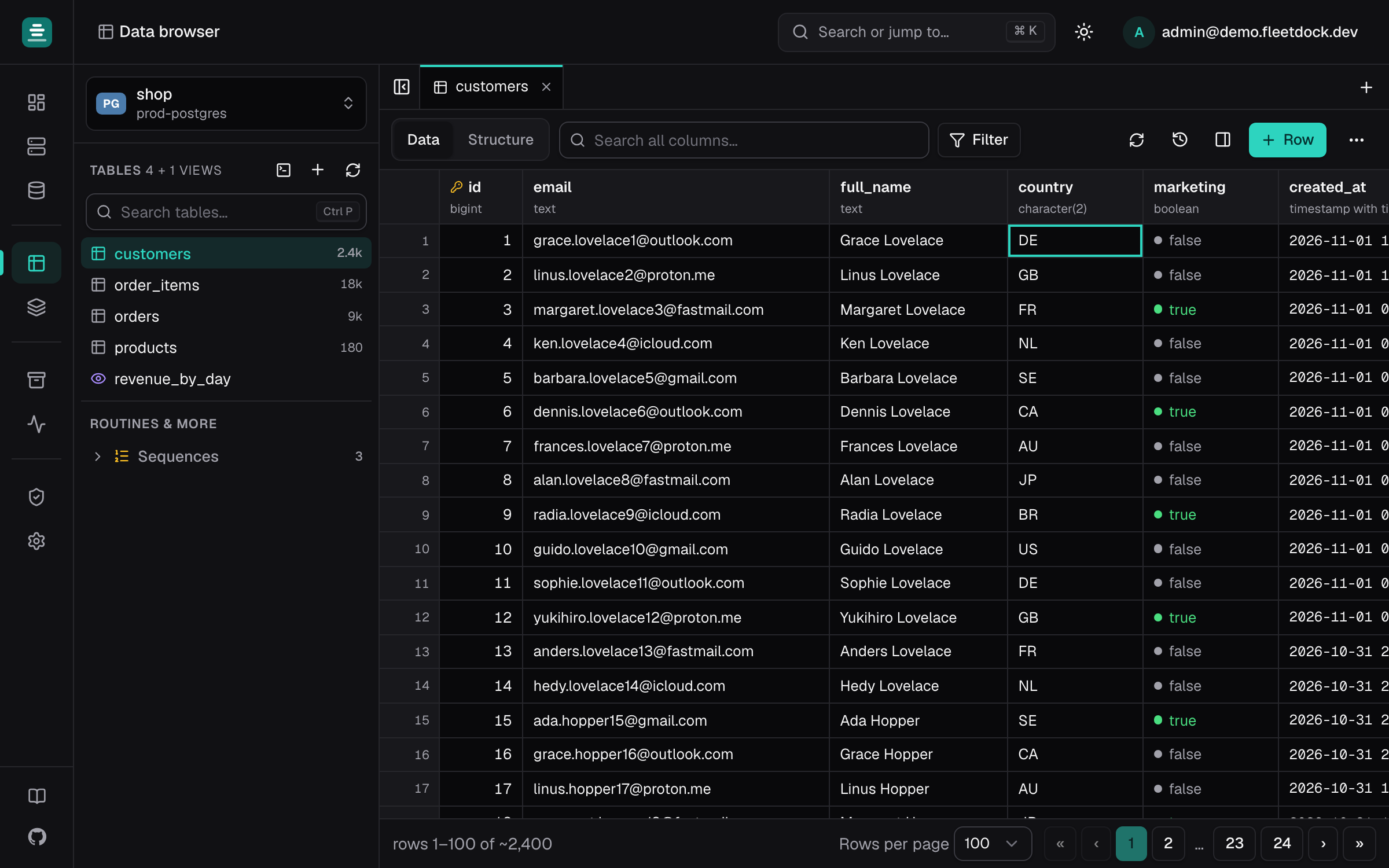
Data browser

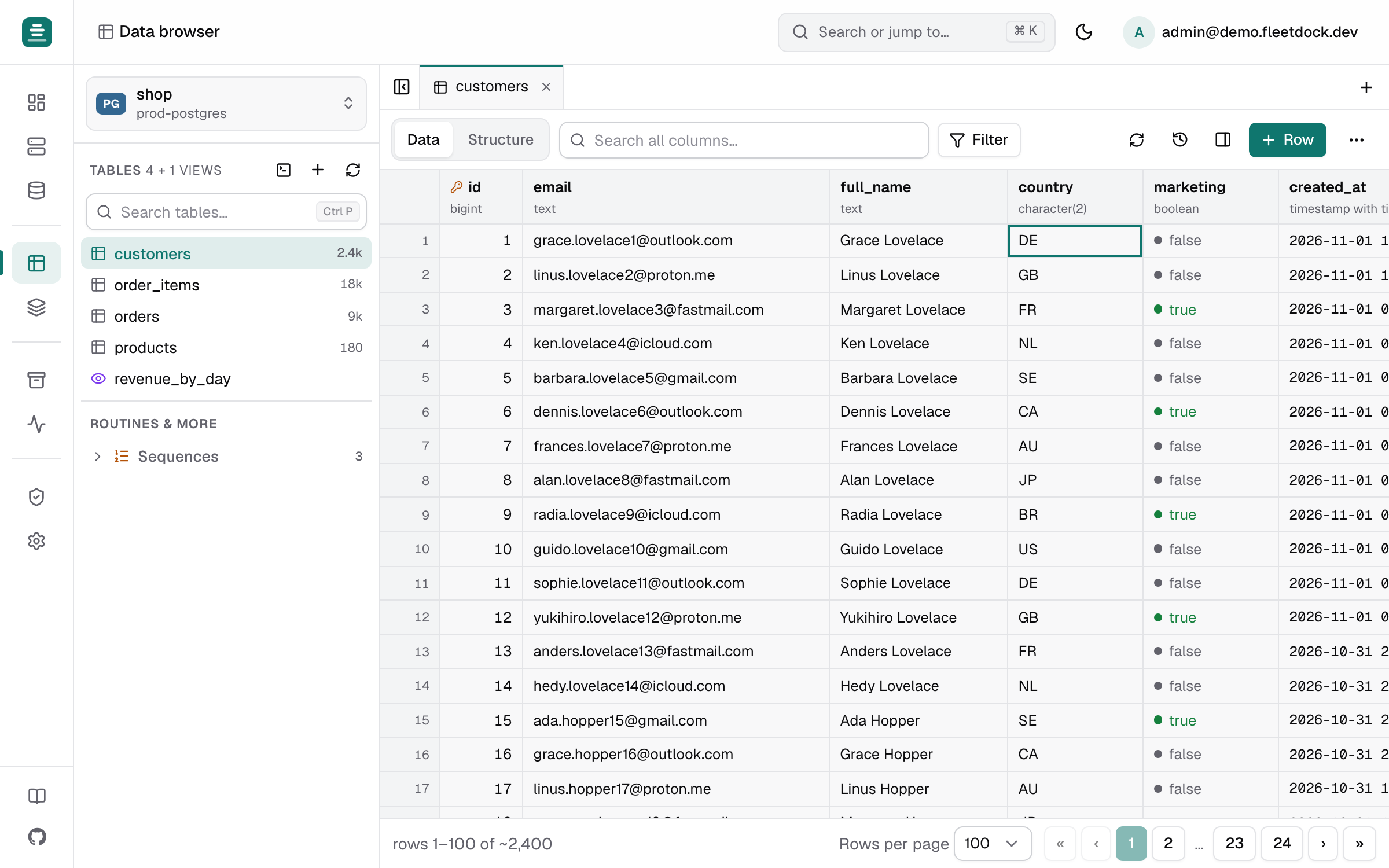
Edit data like a spreadsheet, with an undo button.

Open any table on any server and change rows in place. Every save is journaled, so a mistake is one click to undo, even days later.

  • Follow foreign keys between tables
  • Import and export CSV or SQL
  • Compare a table with a backup and restore single rows
Read the docs
Data browser editing table rows with foreign keys and a value panel
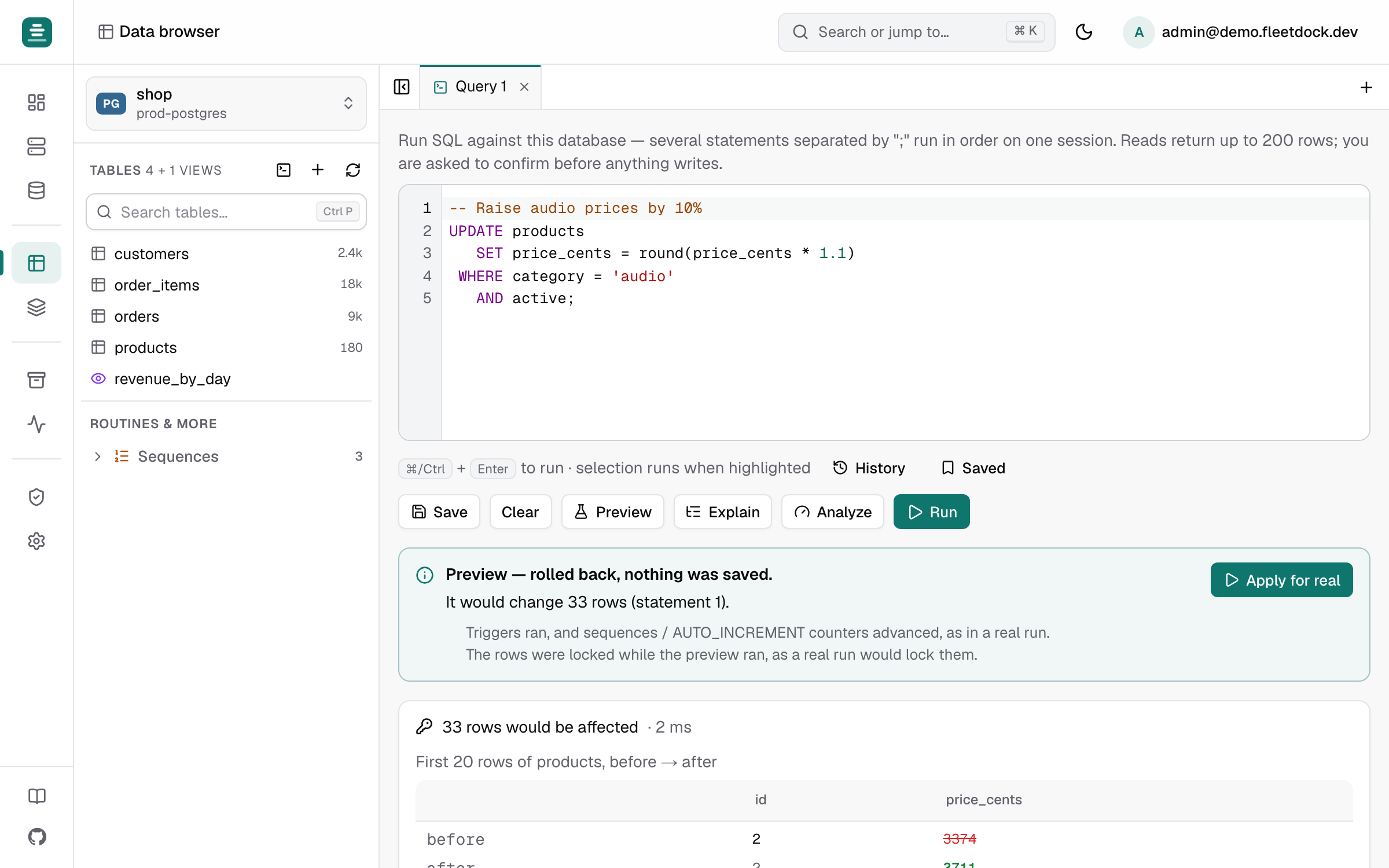
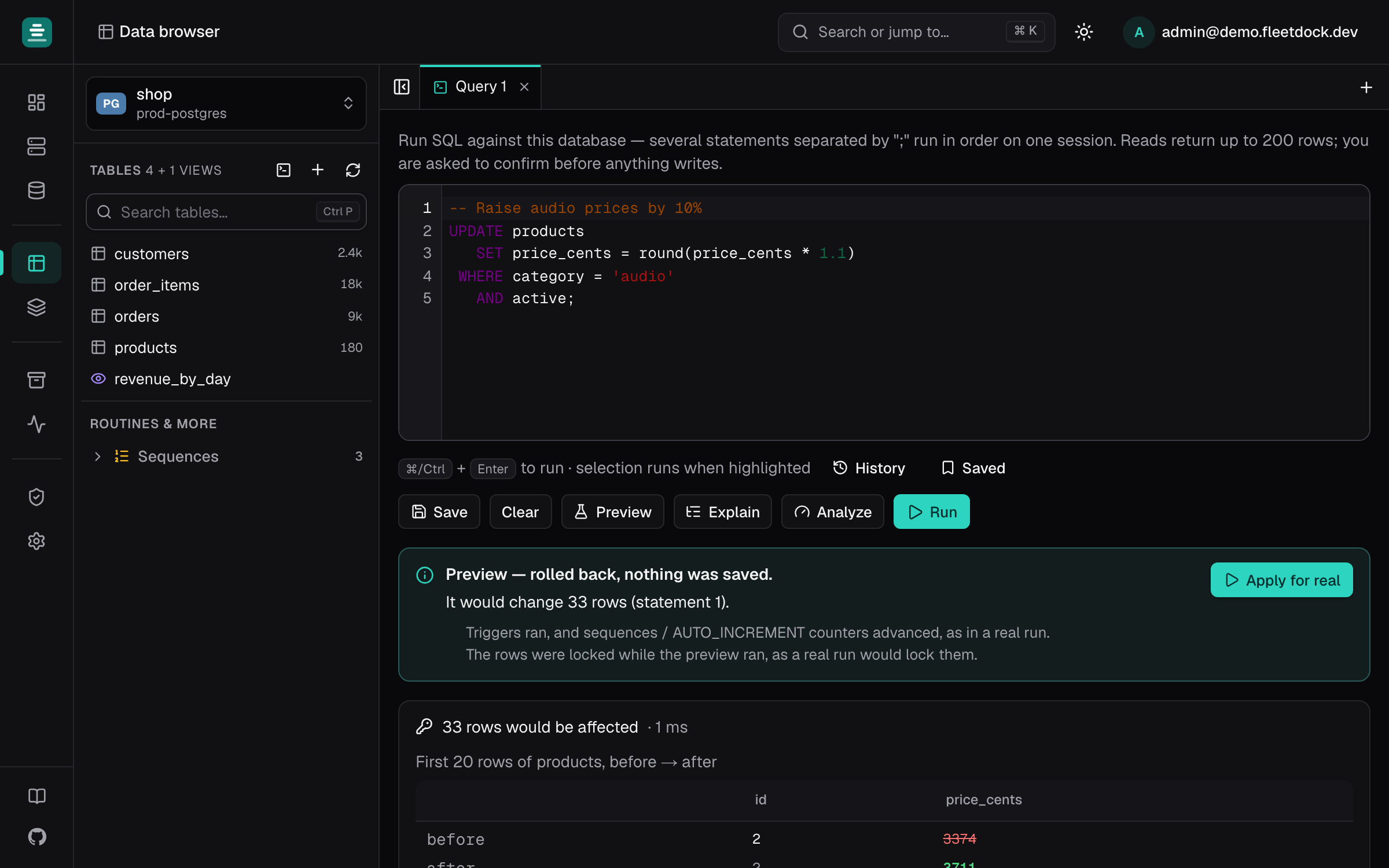
SQL console

See what a query will change before it runs.

Preview shows the rows an UPDATE or DELETE will touch, before and after, without committing. Explain draws the query plan as a tree and points at the slow step.

  • Autocomplete from the live schema
  • History and saved queries
  • Index health: unused and redundant indexes
Read the docs
SQL console with a dry-run preview of the rows a statement will change
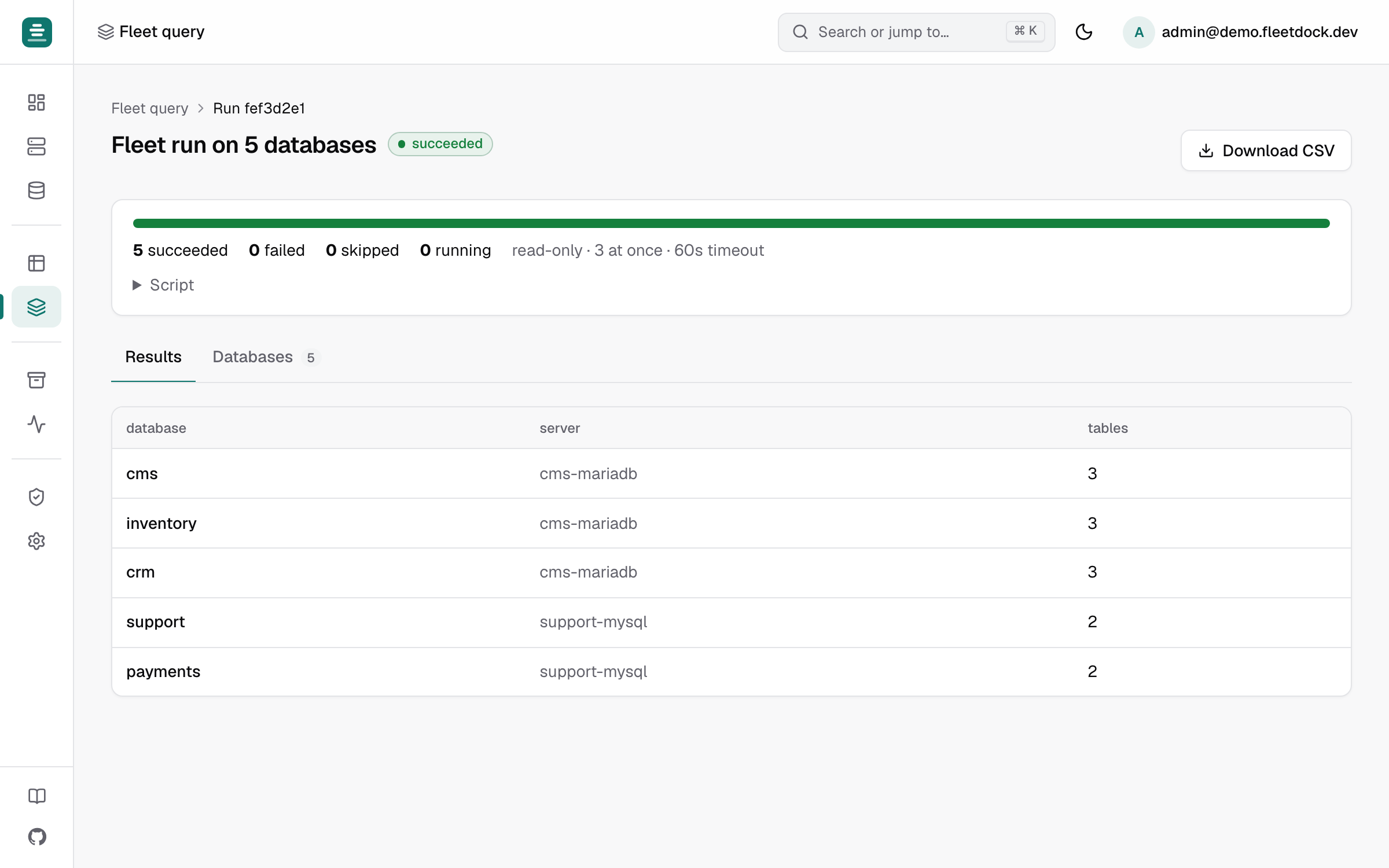
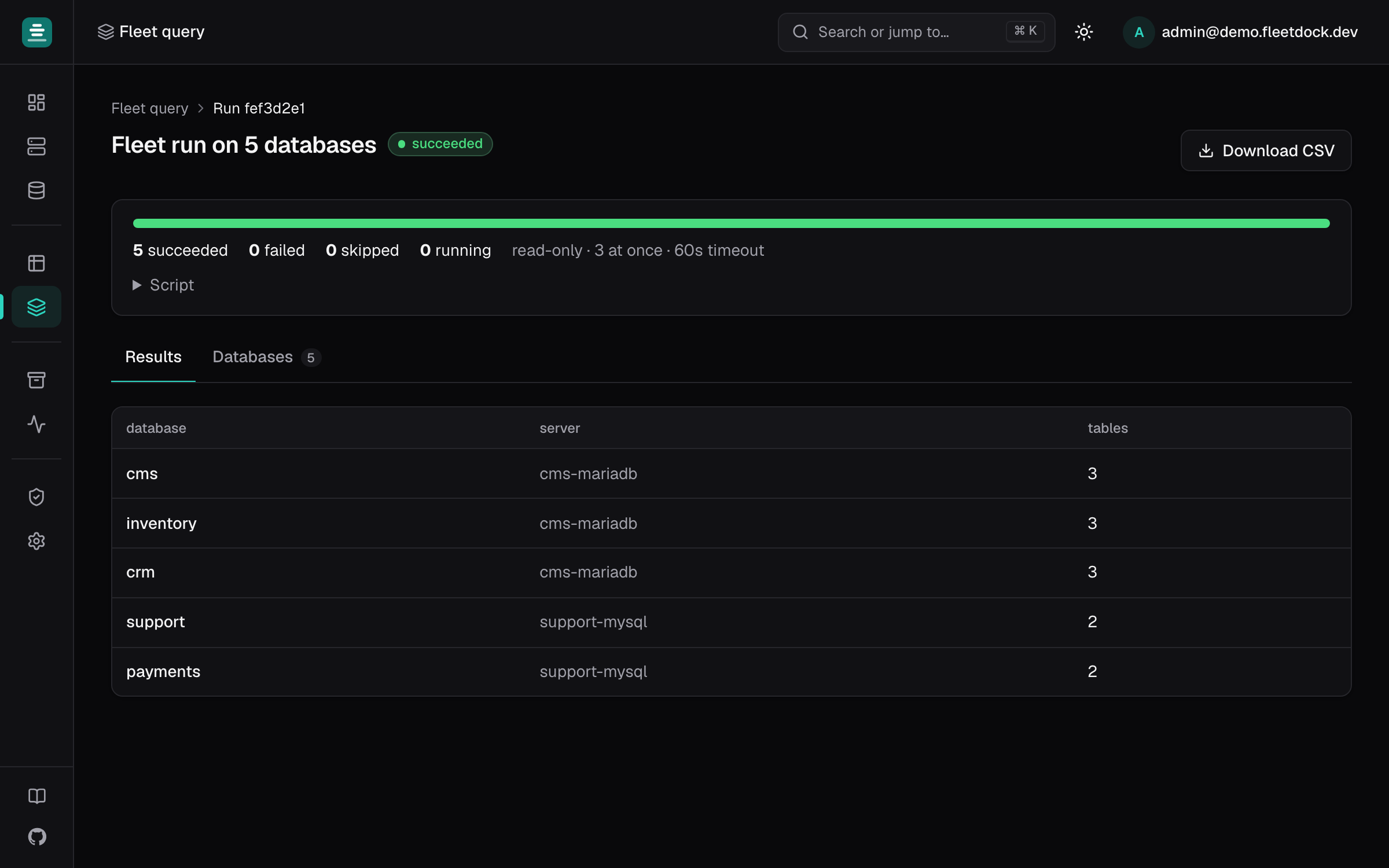
Fleet query

One SQL script, hundreds of databases.

Run a migration, a fix or a report on up to 500 databases at once, and see what each one returned, with a CSV export of everything.

  • Pick targets by name pattern, server and engine
  • Cancel mid-run, or retry only the failures
  • Scoped to what the user is allowed to touch
Read the docs
Fleet query results from one SQL script run on many databases
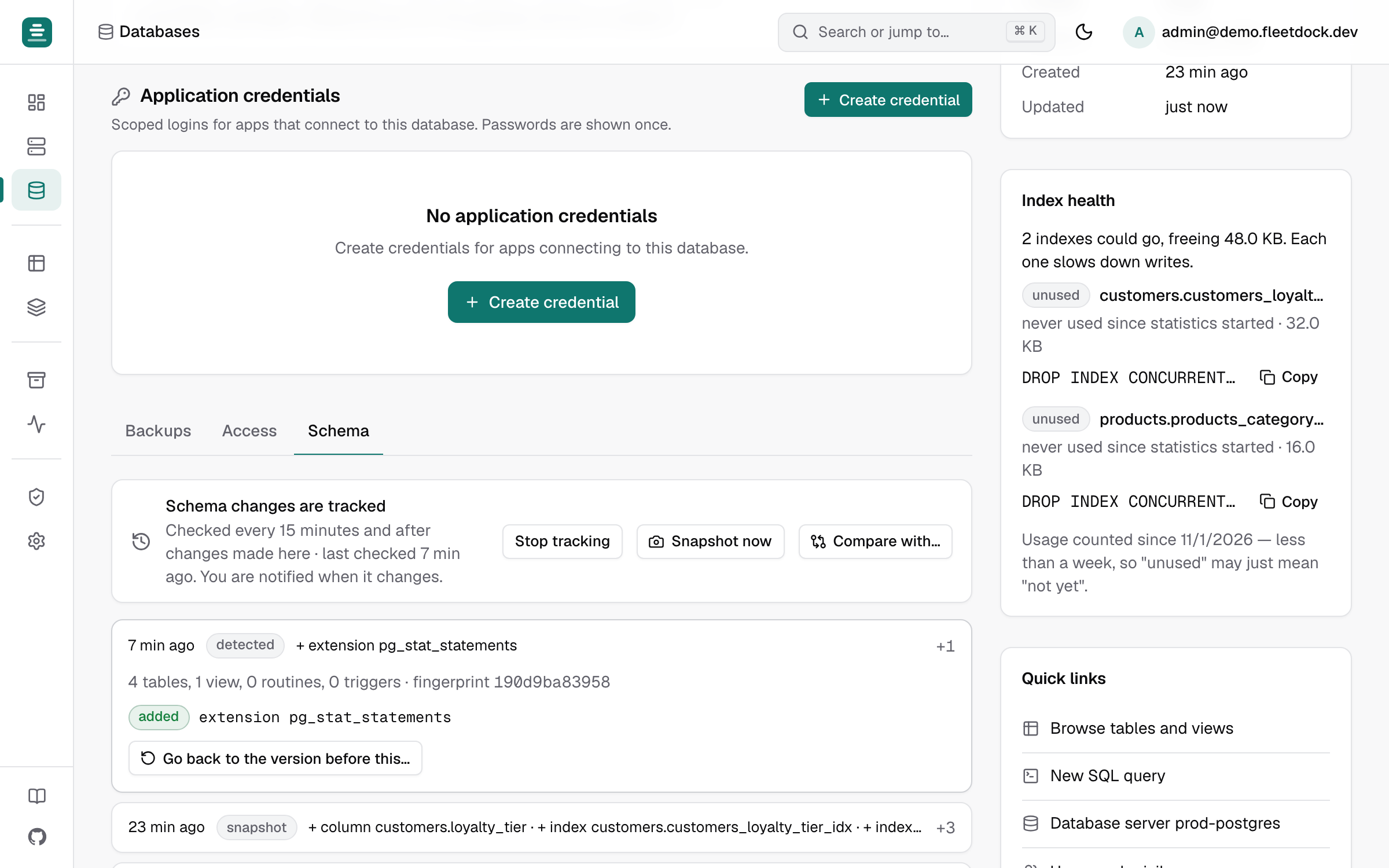
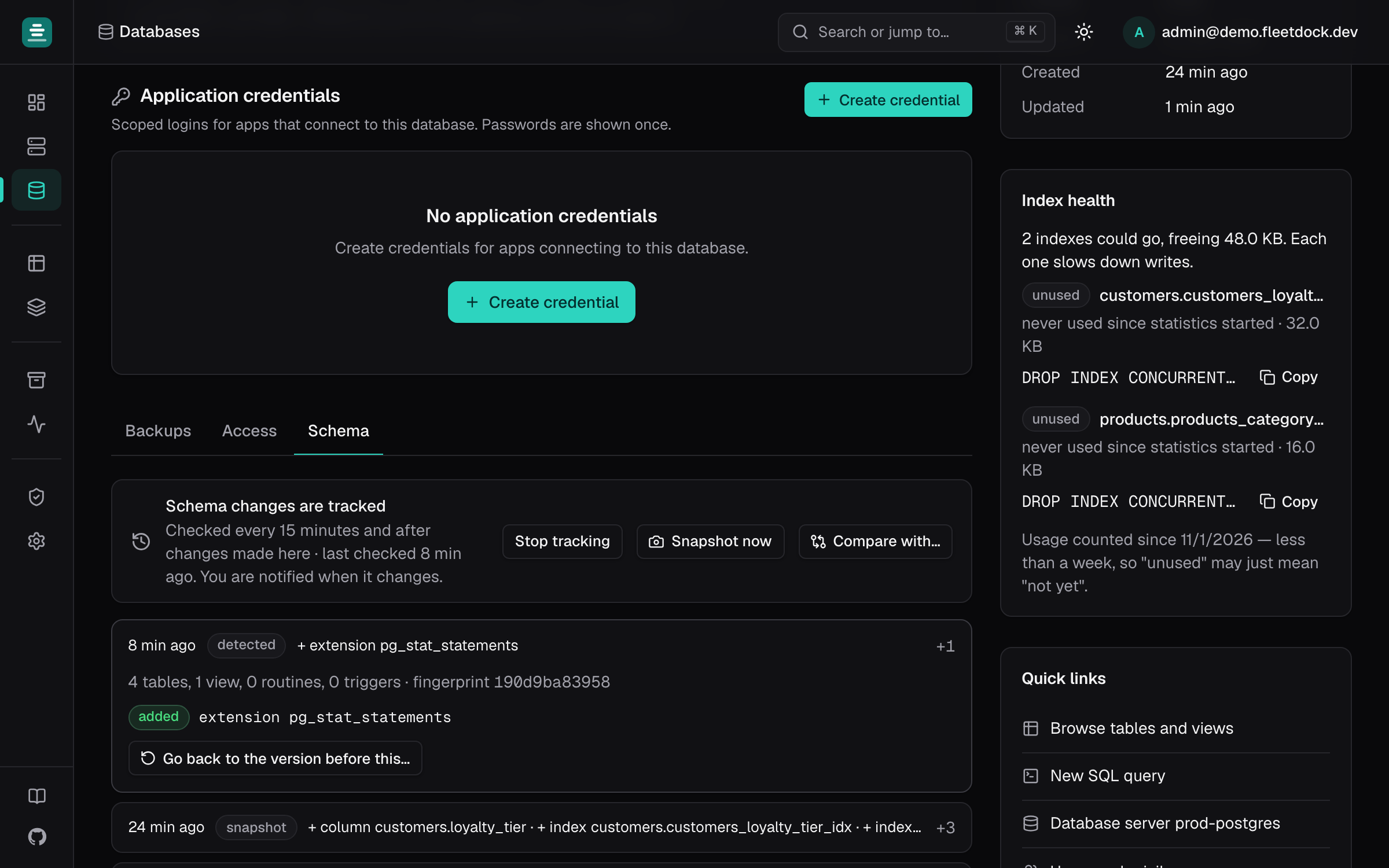
Schema history

Know exactly what changed in your schema, and when.

Fleetdock snapshots each database's schema and shows a timeline of what changed, with a script to go back to any earlier version. Compare two databases to get the script that makes them match.

  • A notification when a schema changes
  • Before and after of every changed object
  • Compare databases across servers
Read the docs
Schema history timeline showing what changed between snapshots
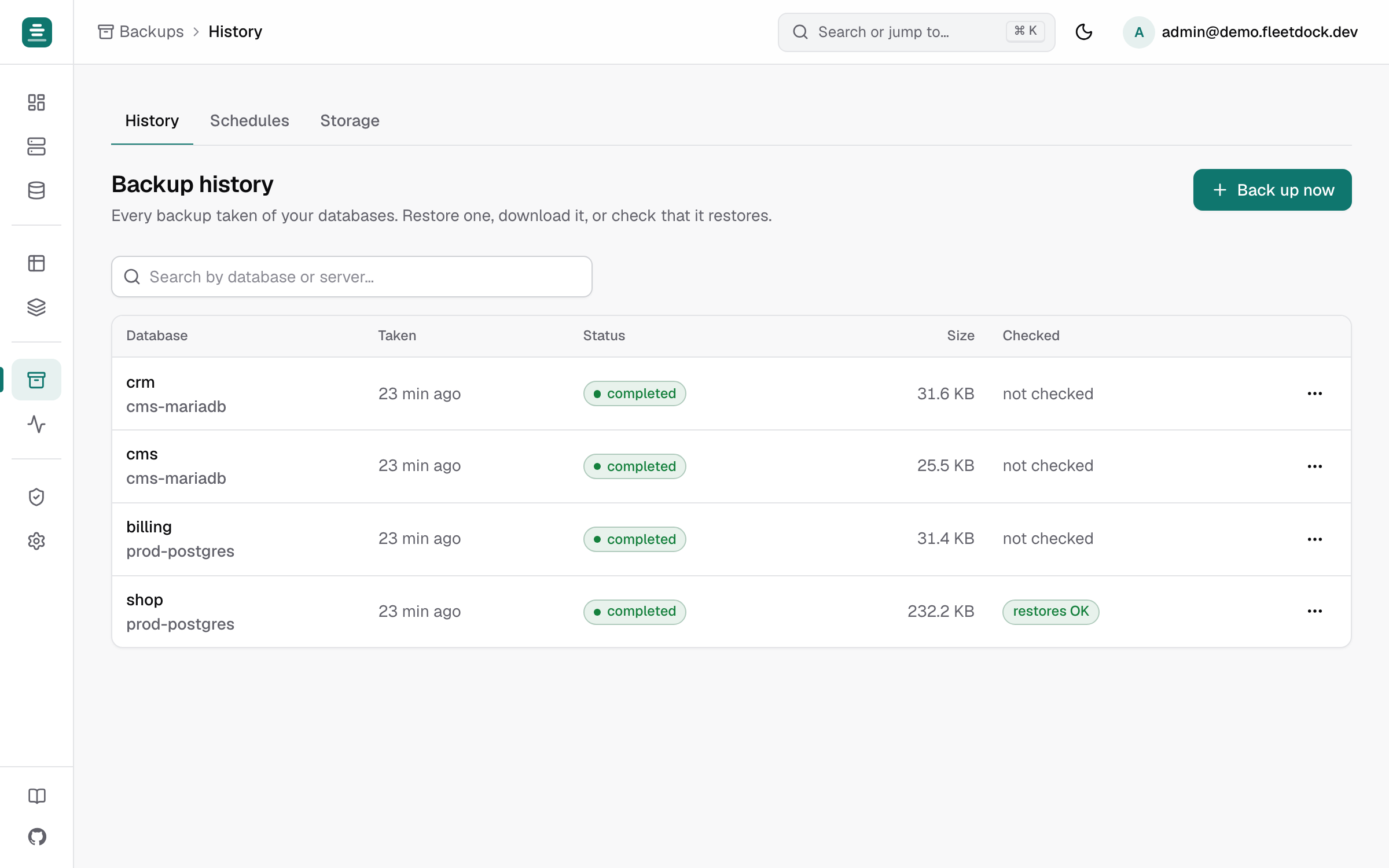
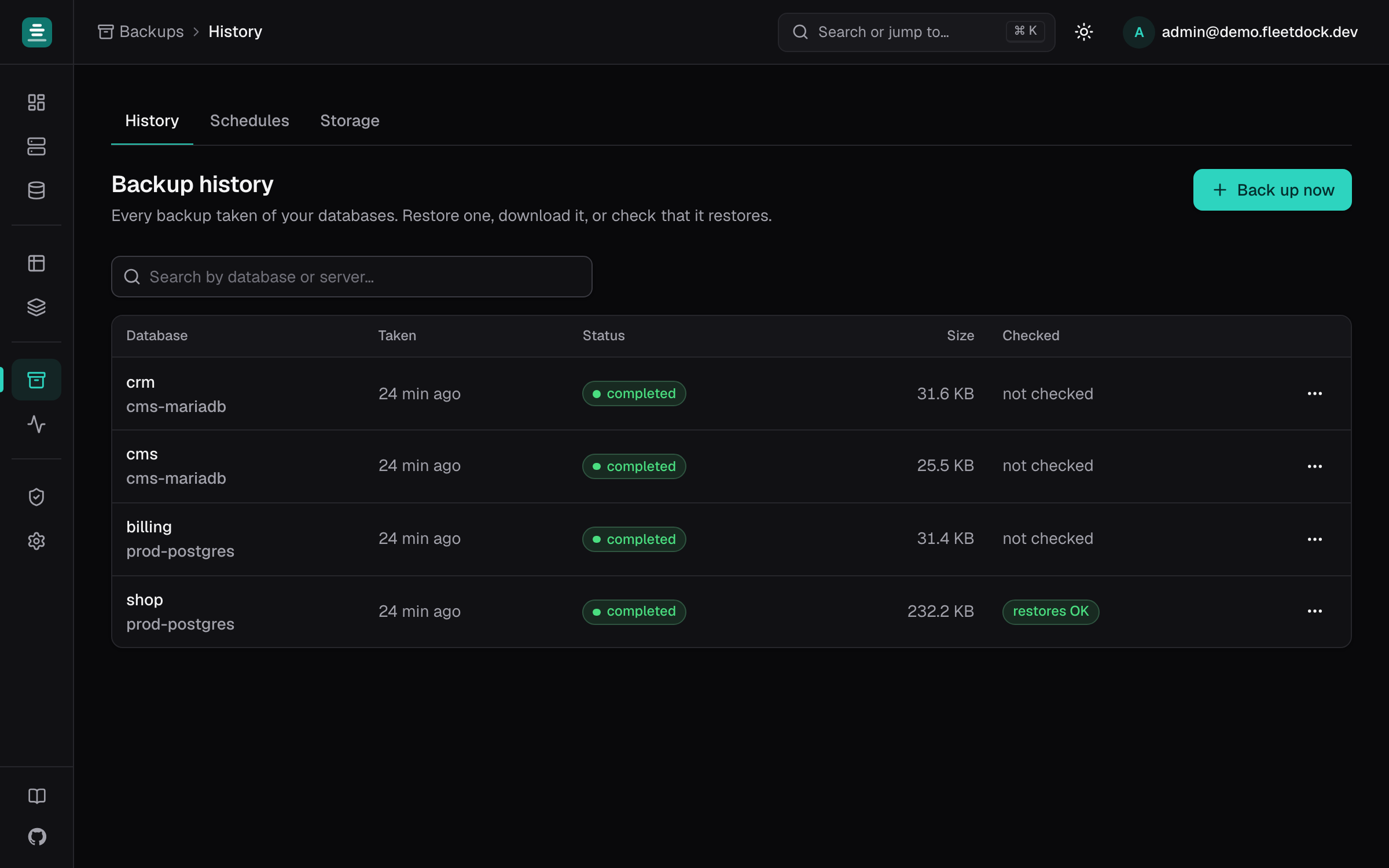
Backups

Backups you have actually tested.

Schedule backups to your own S3, R2 or MinIO bucket with retention, then let Fleetdock restore each one into a scratch database to prove it works.

  • Retention cleans up old backups for you
  • One-click restore, or download a .sql.gz
  • Alerts by email, Slack or webhook when one fails
Read the docs
Backup history with sizes, durations and verification status
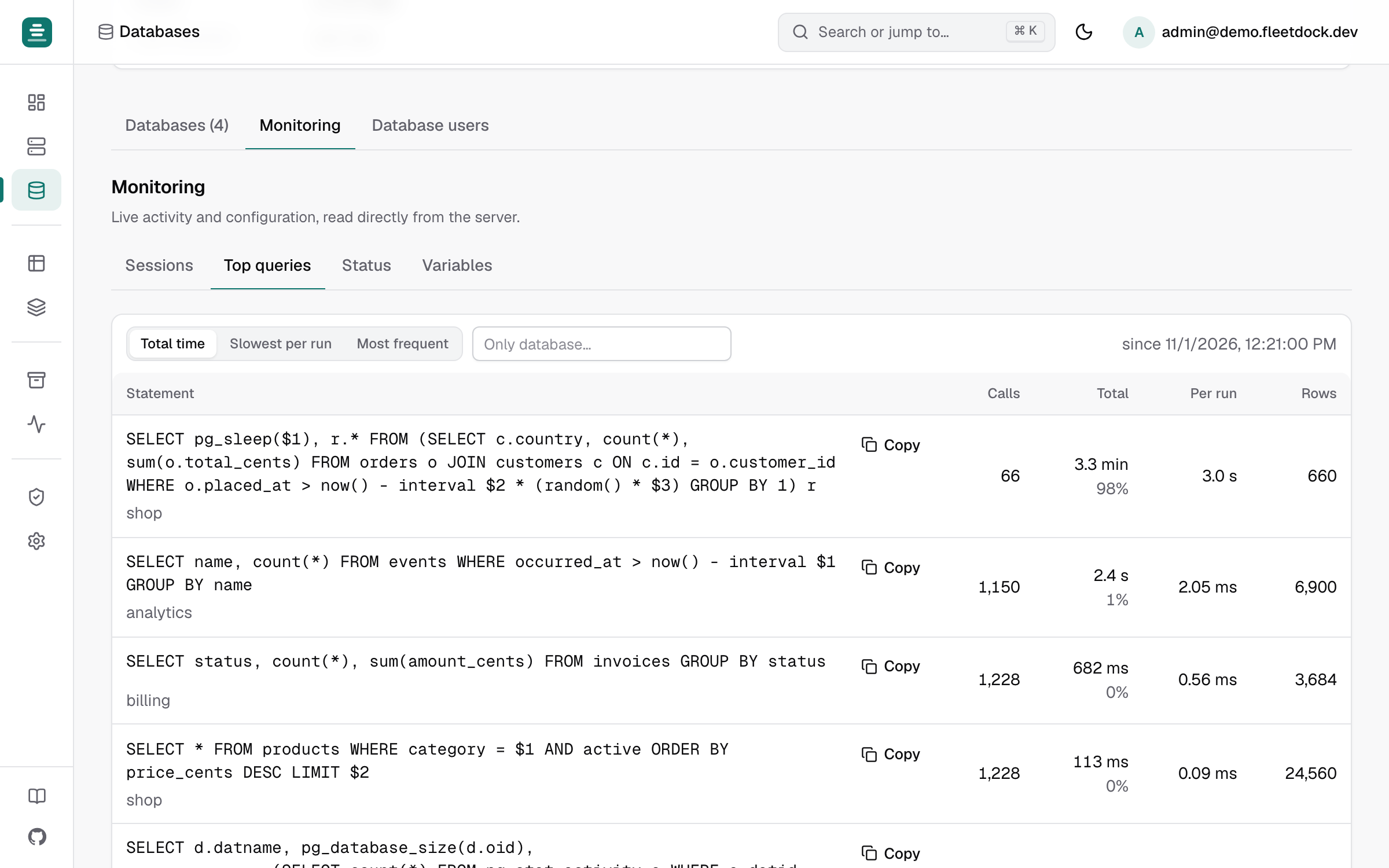
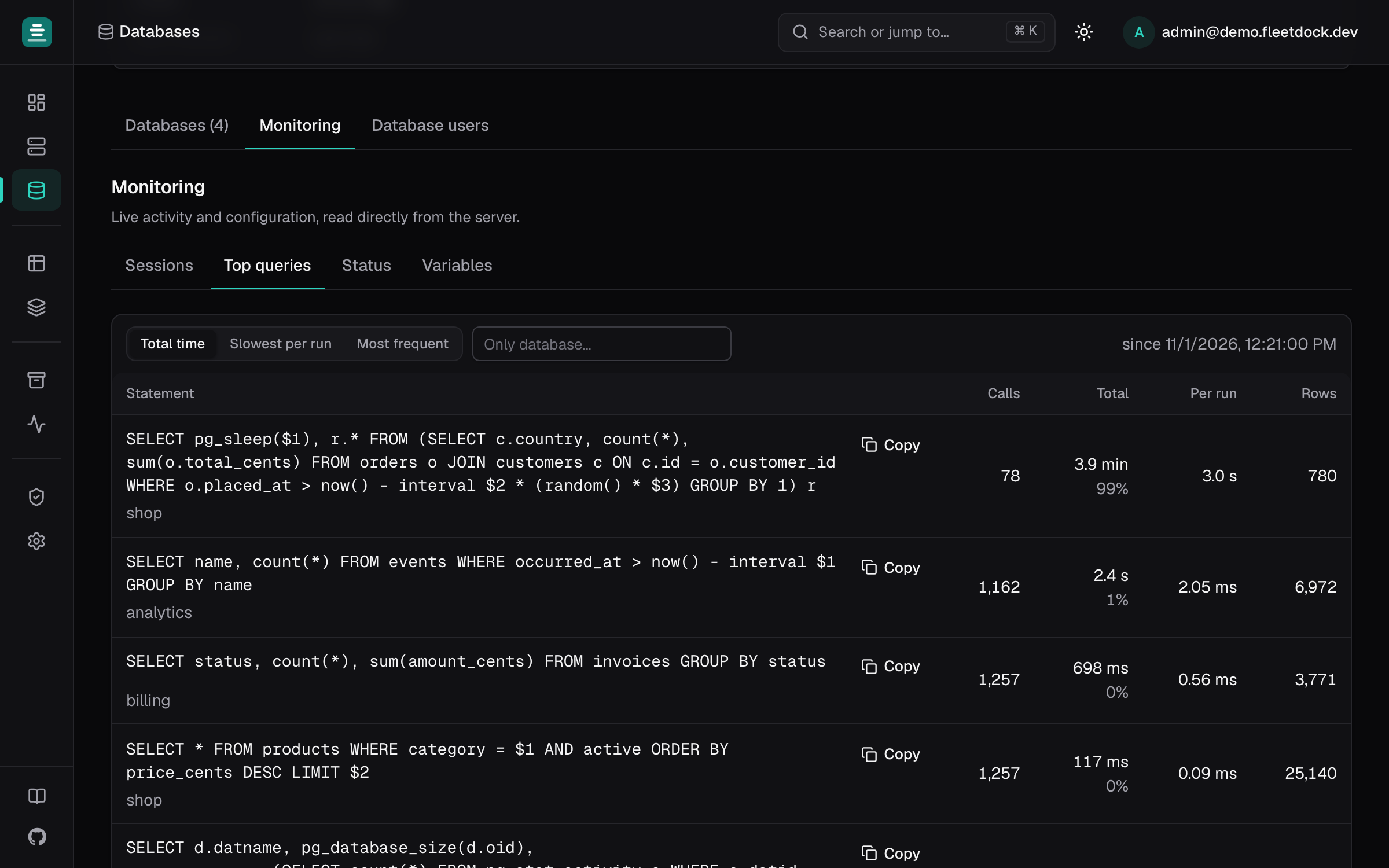
Monitoring

Every server's health on one screen.

CPU, memory, disk and connections for each machine, plus live sessions and the slowest statements on every database server.

  • Offline detection within two minutes
  • Kill a runaway query
  • History charts for the last 7 days
Read the docs
A database server's page with live sessions and top queries
The problem

Database operations should not depend on SSH and shell scripts.

When databases are spread across many servers, the operations that keep them healthy stay manual, inconsistent, and invisible. Fleetdock standardizes them.

Manual SSH administration

Every provision, backup, and fix is a shell session on a specific host. Knowledge lives in someone's terminal history.

Scattered backup cron jobs

Backups run from ad-hoc crontabs with no shared status. You find out a job stopped when a restore fails.

Unsafe credential handling

Database passwords end up in env files, chat messages, and wikis with no rotation or central control.

Risky server migrations

Moving a database means hand-assembling dump, transfer, and import steps — and hoping nothing drifts.

Comparison

Ownership and central management, without the trade-off.

Fleetdock sits between running everything by hand and giving your databases to a managed cloud provider — you keep the infrastructure and gain the operations layer.

Comparison of manual database operations, managed cloud databases, and Fleetdock
CapabilityManual operationsManaged cloud databaseFleetdock
Where your data and credentials liveYour serversThe provider's cloudYour servers
One view of every databaseSpreadsheets and SSHPer provider and regionYes, across all servers
Browse and edit dataCLI or a desktop client per hostSeparate toolIn the browser, with undo
Run SQL on many databasesShell loopsNot built inFleet query, up to 500 at once
BackupsCron jobs you maintainIncludedScheduled, to your own bucket, test-restored
Move a database to another serverDump, copy, import by handWithin one providerBackup, restore, verify in one step
CostYour timeGrows with every databaseFree and open source

Comparison reflects implemented Fleetdock capabilities. Fleetdock does not provide automatic failover or high availability.

Architecture

One manager. Multiple database nodes.

Fleetdock separates the control plane from the servers that run your databases, so you operate the whole fleet from one place without opening shells.

  • Fleetdock Manager

    The central control plane. It serves the dashboard and API, tracks every operation, and stores fleet metadata in PostgreSQL.

  • Fleetdock Agent

    A lightweight service on each database node. It enrolls with a single-use token, heartbeats health, and executes approved operations locally.

  • Database nodes

    Your own servers. Provisioned MariaDB, MySQL, and PostgreSQL instances run in isolated Docker containers; the Manager never touches a node except through its agent.

  • Fleetdock Gateway

    An optional HAProxy service colocated with the Manager. It exposes stable, CIDR-gated TCP endpoints for external applications — one port per database, with config owned by the control plane.

Explore the architecture

Fleetdock Manager

Control plane · UI · API · worker

Fleetdock Agentdb-node-eu-01
  • MariaDB
  • PostgreSQL
Fleetdock Agentdb-node-eu-02
  • MySQL
  • MariaDB
Fleetdock Agentdb-node-eu-03
  • PostgreSQL

Agents enroll over a single outbound HTTPS connection and execute only approved operations on their own node.

Security

Database infrastructure requires more than a login screen.

Fleetdock holds credentials for your entire fleet, so its security model is explicit — including the boundaries it does not yet cover.

Single-use enrollment

Agents register with short-lived, single-use tokens, then authenticate with their own bearer token — revocable and rotatable per server.

HttpOnly sessions

The dashboard session lives in an HttpOnly, SameSite=Strict cookie with CSRF protection, out of reach of page script.

Secrets encrypted at rest

Instance passwords and storage keys are envelope-encrypted with a key you control, and re-wrapped on rotation.

Presigned backup access

Backups stream to object storage through time-limited presigned URLs — agents never receive your storage credentials.

Role-based access control

Owner, admin, operator, and viewer roles plus custom roles from a permission catalog, with scoped API tokens.

CIDR-gated public access

External database access routes through the Fleetdock Gateway with CIDR allowlists — disabled by default, with application credentials instead of root passwords.

Tracked operations & audit

Every mutating action is a tracked operation with status and history, alongside an audit log of changes.

Rotation & revocation

Rotate the encryption and JWT secrets, revoke API tokens, and suspend accounts to cut off sessions immediately.

Known limitations in the current release

SSO/OIDC and 2FA are on the roadmap, not yet available. The agent runs as root (required to drive Docker) inside a sandboxed systemd unit. Gateway TLS is passthrough only in the current MVP. See the security documentation for the full trust model and mitigations.

Use cases

Built for teams running database fleets.

Fleetdock is designed for the specific problem of operating many isolated database instances across many servers.

All use cases

Database-per-tenant SaaS

Manage isolated databases for every customer from one control plane.

ERP and CRM platforms

Operate many customer database instances across multiple servers.

Hosting providers

Provision and maintain database instances for clients.

Agencies

Manage customer databases without sharing manual server access.

Self-hosted software vendors

Offer managed database operations on customer-controlled infrastructure.

Internal infrastructure teams

Replace scripts, spreadsheets, and undocumented procedures.

Open source

Open source. Self-hosted. No database infrastructure lock-in.

Fleetdock is Apache-2.0 licensed and runs entirely on infrastructure you control. Read the code, file issues, and follow the roadmap in the open.

A Go control plane and agent with a Next.js dashboard, released in the open.

FAQ

Questions people ask before installing.

Can't find your answer? Open an issue on GitHub; it's the fastest way to reach the maintainers.

Is Fleetdock free?

Yes. Fleetdock is open source under the Apache-2.0 license, and you run it on your own server. You pay only for the machine it runs on.

Does any of my data leave my servers?

No. Fleetdock runs entirely on infrastructure you control and sends no telemetry. Database passwords and storage keys are encrypted at rest with your own key, and backups go to the S3-compatible bucket you choose.

Which databases does it support?

MariaDB, MySQL and PostgreSQL: on your own servers, in Docker, or hosted ones such as Amazon RDS or Neon that Fleetdock can reach over the network.

Do I need to install an agent on every server?

No. A database Fleetdock can reach directly is connected with just its address and a login. The agent is optional: install it on a machine when you want Fleetdock to create database containers there, report the machine's CPU, memory and disk, or back up databases that aren't reachable from outside.

What do I need to run it?

A Linux server with Docker (the installer adds it if it's missing); 2 vCPU and 4 GB of RAM is enough to start. The one-line installer sets up automatic HTTPS. On a Mac or Windows PC it runs locally for evaluation.

How do upgrades work?

Run fleetdock update. It backs up Fleetdock's own data first, then moves to the latest release. fleetdock doctor checks DNS, certificates and reachability if something looks wrong.

Does Fleetdock provide high availability or automatic failover?

No. Fleetdock manages, backs up and monitors your databases, but it doesn't replicate them or fail over between servers. Keep using your existing replication setup for that.

Stop managing databases one server at a time.

One command installs it on your own server. Connect your first database in a minute.