Fleet query
Run one SQL script on many databases at once and read the results side by side.
Fleet query runs one script on up to 500 databases and merges what they return into one table,
with the database and its server in front. Use it to answer a question across the fleet ("which
tenants still have the old plan column?", "how many orders did each shop take today?") or to
apply the same change everywhere.
Running a script
- Write the script. It can hold several statements, as in the SQL console.
- Pick the databases: filter by name (a pattern like
shop_*), server and engine, then Select shown or tick them one by one. If the selection mixes engines, Fleetdock warns you, because the script must work on each. - Set how many databases run at once (1–16), the timeout per database (up to 600 s) and how many rows to keep from each (up to 1000).
- Run.
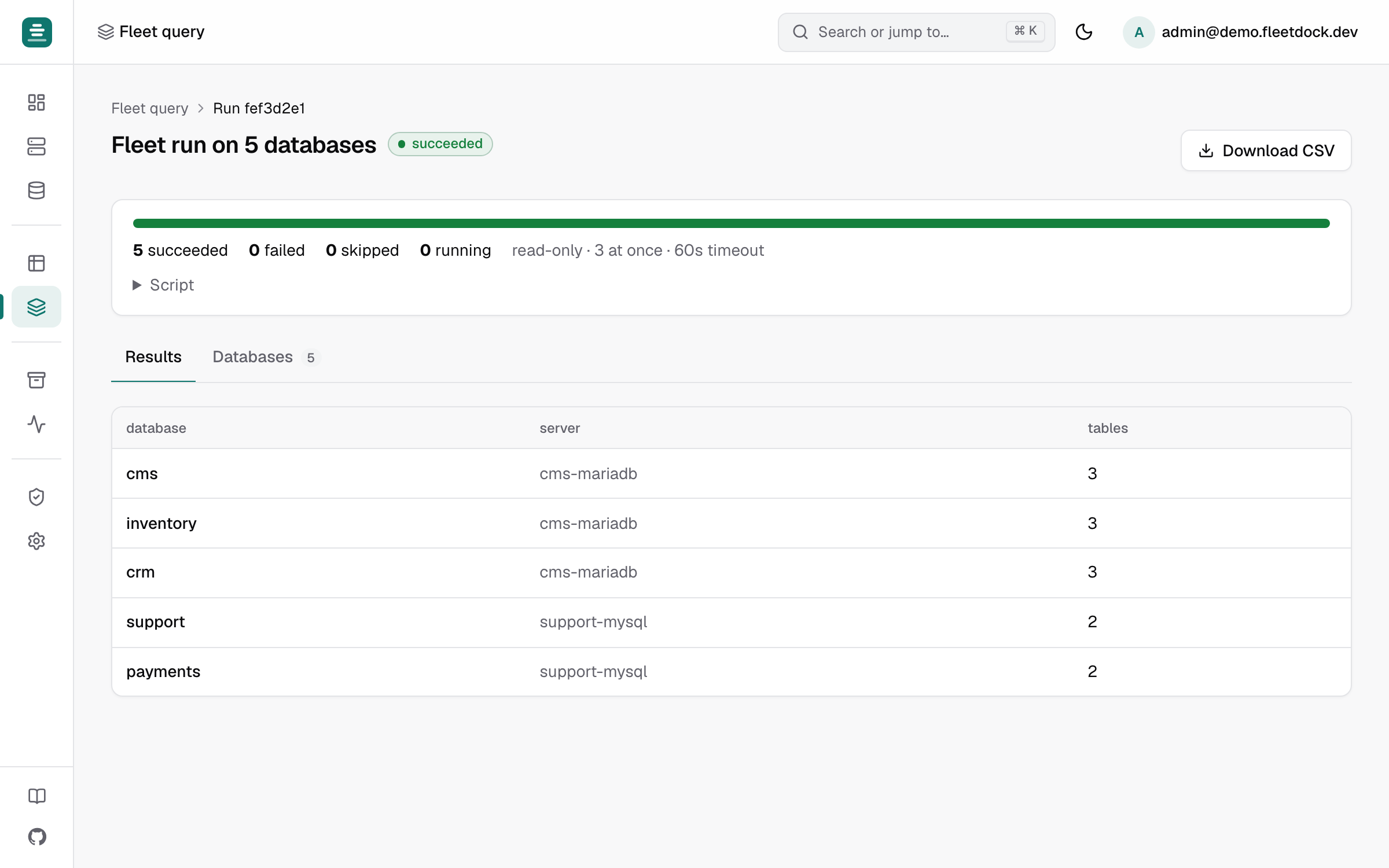
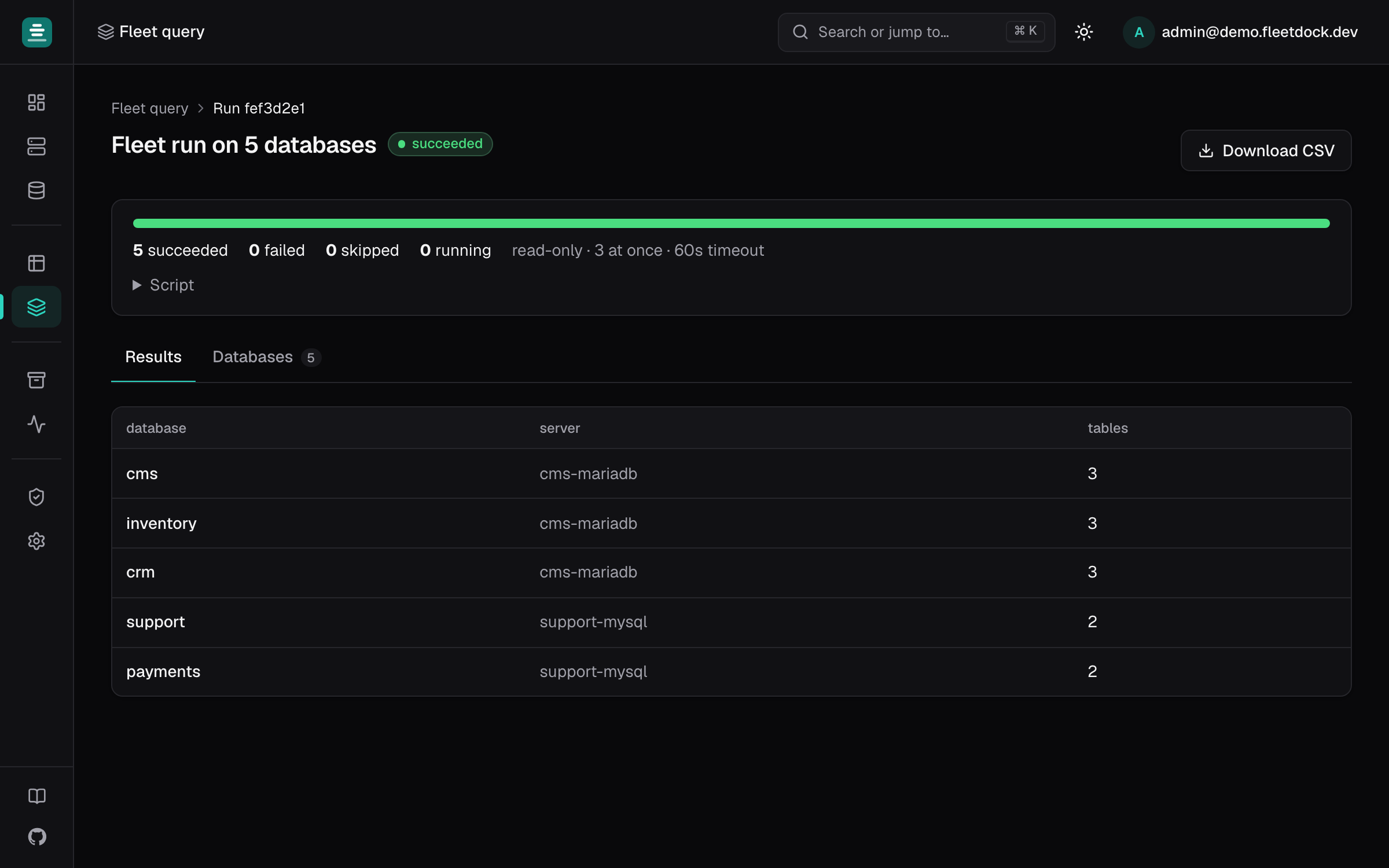
The run continues in the background: you can close the page and come back from Your recent runs. Results shows the merged rows (the first result set of each database). Databases shows each database's status, rows returned or changed, time and error. CSV downloads the merged table.
Scripts that write
A script with any write statement is handled with extra care:
- you confirm by typing
run on N; - Run the first database alone, then wait (on by default): Fleetdock runs the script on the first database and pauses so you can check the result, then Continue on the other N or Cancel;
- Stop at the first failure (on by default): the databases not yet started are skipped.
Nothing is rolled back for you. To try a change first, use Preview on one database.
Cancel, retry, interruptions
- Cancel skips the databases not yet started and kills the statements running on their servers.
- Retry re-runs the databases of a failed or cancelled run that did not succeed.
- If the Fleetdock process running a database stops mid-way, that database is marked unknown: the script may or may not have completed there. It is never re-run on its own; check it, then retry if needed.
Access
Each database needs the same access as the SQL console: database:read, plus database:write if
the script writes, plus instance:write for system databases and instances browsed with their
admin login. Fleetdock checks this when the run starts, and again just before each database runs.
If you lose access meanwhile, or your account is suspended, the remaining databases are not run.
A run is visible only to the user who started it. Finished runs are kept for
FLEETDOCK_FLEET_RUN_RETENTION (30 days). FLEETDOCK_FLEET_MAX_PARALLEL (16) caps how many
databases one Fleetdock process works on at once, across all runs.
API
POST /v1/fleet-runs with {"sql", "database_ids", "concurrency", "stop_on_error", "canary", "timeout_seconds", "row_limit"}. Then follow it with GET /v1/fleet-runs/{id} and
GET /v1/fleet-runs/{id}/targets, or download GET /v1/fleet-runs/{id}/results.csv.
POST …/resume, …/cancel and …/retry act on it. A run started with a scoped API token keeps
running with that token's scopes.